
Request my free 15-minute IT Priorities Call
After the call, we’ll email a brief summary of up to three priorities or questions to investigate and a recommended next step. No cost, no obligation to purchase, and no system access required. Technical assessments are separately scoped.
Cloud Computing Services in North Carolina for Growing Businesses
Your team needs access to the right files and applications, whether they are in the office, at a jobsite or working remotely. Cloud services can help, but moving everything is not automatically the right answer.
Computerbilities helps businesses in Raleigh, Cary, Durham and New York City plan cloud use around their workflows, connectivity, security and budget. We define the supported services and responsibilities before implementation.
What are Cloud Computing Services?

Cloud computing means using a provider’s computing resources over a network. The provider still operates physical servers; your business uses the selected service rather than owning all of its underlying infrastructure.
- Software as a service: applications such as Microsoft 365, with settings and access your organization must manage.
- Hosted infrastructure: virtual servers and storage, which may leave operating-system and application administration with you or your IT provider.
- Hybrid arrangements: cloud services alongside selected systems kept onsite.
The right choice depends on the application, data, user experience and total ongoing cost.
Our Cloud Computing Services
We scope cloud work around the systems you use and the outcomes you need. A proposal should name the platforms, licenses, migration work, ongoing support and exclusions.
Cloud Migration Planning
Cloud Hosting Services
Managed Cloud Support
Cloud Security Responsibilities
Backup and Recovery Planning
Free 15-minute IT Priorities Call
Cloud Support in North Carolina and New York City
We support business cloud planning in North Carolina and New York City. Remote work, onsite visits and vendor coordination are defined for the systems and locations in your agreement.
Raleigh, NC
Cary, NC
Durham, NC
Across North Carolina
New York City

Is Cloud the Right Fit for Your Business?
Before choosing a platform, answer these six questions:
- Will the applications work as intended? Confirm vendor support, licensing, integrations and performance needs, especially for CAD and large project files.
- Can people work from their actual locations? Test office and jobsite connectivity, file sizes, upload speed and any approved offline process.
- Who should have access? Define staff and subcontractor permissions, multifactor authentication and managed-device requirements.
- What is the full cost? Include subscriptions, storage, backup, internet, support, migration, training and eventual data export.
- How will you recover? Identify what is backed up, how long it is retained, and how a restore will be tested.
- What should stay onsite? A supported local application or hybrid arrangement may fit better than moving every workload.
Agree Responsibilities Before You Move
A cloud subscription does not transfer every IT responsibility to the cloud provider. Put the division of work in writing, including the business owner, Computerbilities and the application or hosting vendor. Microsoft explains this in its shared responsibility guidance.
Your Business: Decisions and Approvals
Computerbilities: Agreed IT Work
Cloud Vendor: Service Infrastructure
Shared Work: Recovery Preparation
Shared Work: Ongoing Changes

Plan Around Your Applications and Data
For contractors, engineers and architects, the decision often connects estimating, accounting, Microsoft 365, drawings and field access. Check where the authoritative project files live, who can change them, and how your team avoids working from outdated copies.
Start with an inventory of your current applications and their vendors’ requirements. Confirm supported hosting, licensing and integrations before selecting a platform. Any contractual or regulatory obligations need their own review; choosing a cloud product does not automatically satisfy them.
Our construction IT support and plan comparison pages explain how cloud work fits into wider business support.
Questions to Test Before Committing
Can a field employee open the correct drawing?
Test a representative file on the intended device and jobsite connection. Check permissions, version handling and what happens when connectivity drops.
Will your specialist software remain supported?
Ask the software vendor about the proposed hosting and storage arrangement. Pilot the real workflow, including printing, integrations and large-file performance.
Can you recover the information you need?
Choose a sample file or workload, define the recovery scenario and verify the result. Record gaps and agree who owns the next action.
Use the pilot results to agree priorities and next steps before a wider rollout.

Get Started with Cloud Computing Today
Serving business technology needs
Founded by Adam Pittman
What Client's Say About us
Responsive Support for Our Team
We can always count on them to be responsive to our needs and do an excellent job.
Carol Cheek
Former Vice PresidentCimarron Homes
Consistent, Trustworthy IT Support
Computerbilities provides excellent response times for all IT issues while maintaining consistent and trustworthy staff.
Travis Woodie
COO/CFOMunicipal Engineering

With Computerbilities You Get What You Pay For
Computerbilities is not the cheapest IT company in the Triangle, but you always get what you pay for and with Computerbilities you get the best.
Jeff Gregorio
CFOWilliams Realty & Building

Reliability and Strong Communication
Reliability is the biggest benefit I have found since moving to Computerbilities. Whenever we call on Adam Pittman and his team, they always respond, and correct our issue immediately.
J.D. Locklear, JR.
PresidentAllied Fire Protection

Excellent Service and Attentiveness to My Account
I want to thank Computerbilities for your excellent service and attentiveness to my account. When needed, they always respond with a positive, helpful and professional attitude.
Tony Nocito
Managing MemberABCOV Companies, LLC

Computerbilities Saves Me Both Time and Money
Computerbilities has benefited my company tremendously by saving me both time and money. I no longer employ a full time IT person, but I am still able to contact someone at a moment’s notice.
Alicia Schautteet
Administrative OfficerSynecor

My Absolute Hero When It Comes To Technology
If there is a problem or issue, Computerbilities has a solution or an answer tailored to my specific problem. They are my absolute hero when it comes to technology.
Bill Aulicino
OwnerCrossroads European Automotive, Inc

It’s Simple; Call Computerbilities
It’s simple; If you want your network and computers to work, call Computerbilities. Because of them, I have a tailored solution for my business.
Nicole Mastmeier
OwnerBlue Diamond Jewelers
Not Ready To Call Us Just Yet
Get Your Free Report
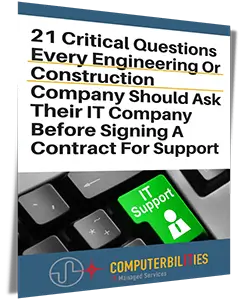
Get our FREE report and learn the critical questions every construction and engineering business should ask before signing a tech support contract. Protect your business and avoid costly mistakes.
DOWNLOAD YOUR FREE COPY NOW