
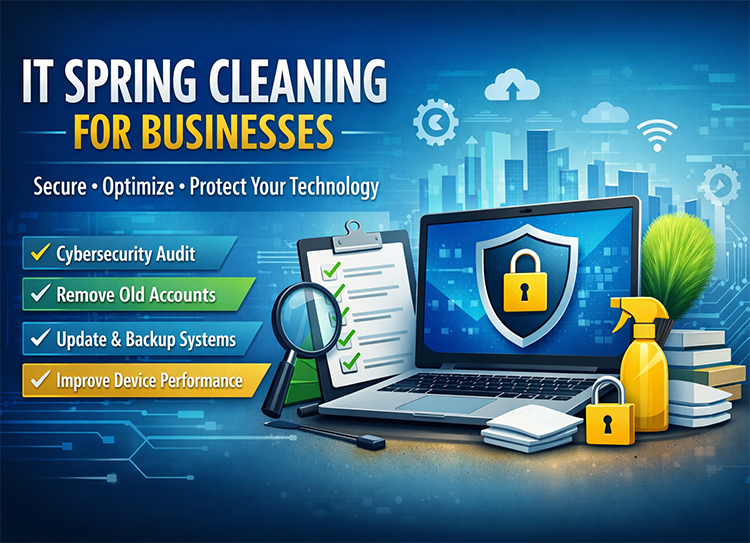
What Is IT Spring Cleaning for Businesses? (2026 Checklist to Improve Security & Performance)
For most small and mid-sized businesses, “spring cleaning for your technology” isn’t just about deleting old files—it’s about reducing real business risk. A proper IT spring cleaning process can improve system performance by 20–40%, reduce cybersecurity vulnerabilities by up to 60%, and free 15–30% of storage space across devices.
Yet, most companies delay this process until something breaks.
In fast-growing markets like Raleigh, Cary, Durham, and even NYC, where SMBs rely heavily on digital systems, neglecting routine IT maintenance can lead to downtime, compliance issues, and avoidable security breaches.
This guide outlines a proven 5-step IT spring cleaning framework designed specifically for businesses, not just individuals.
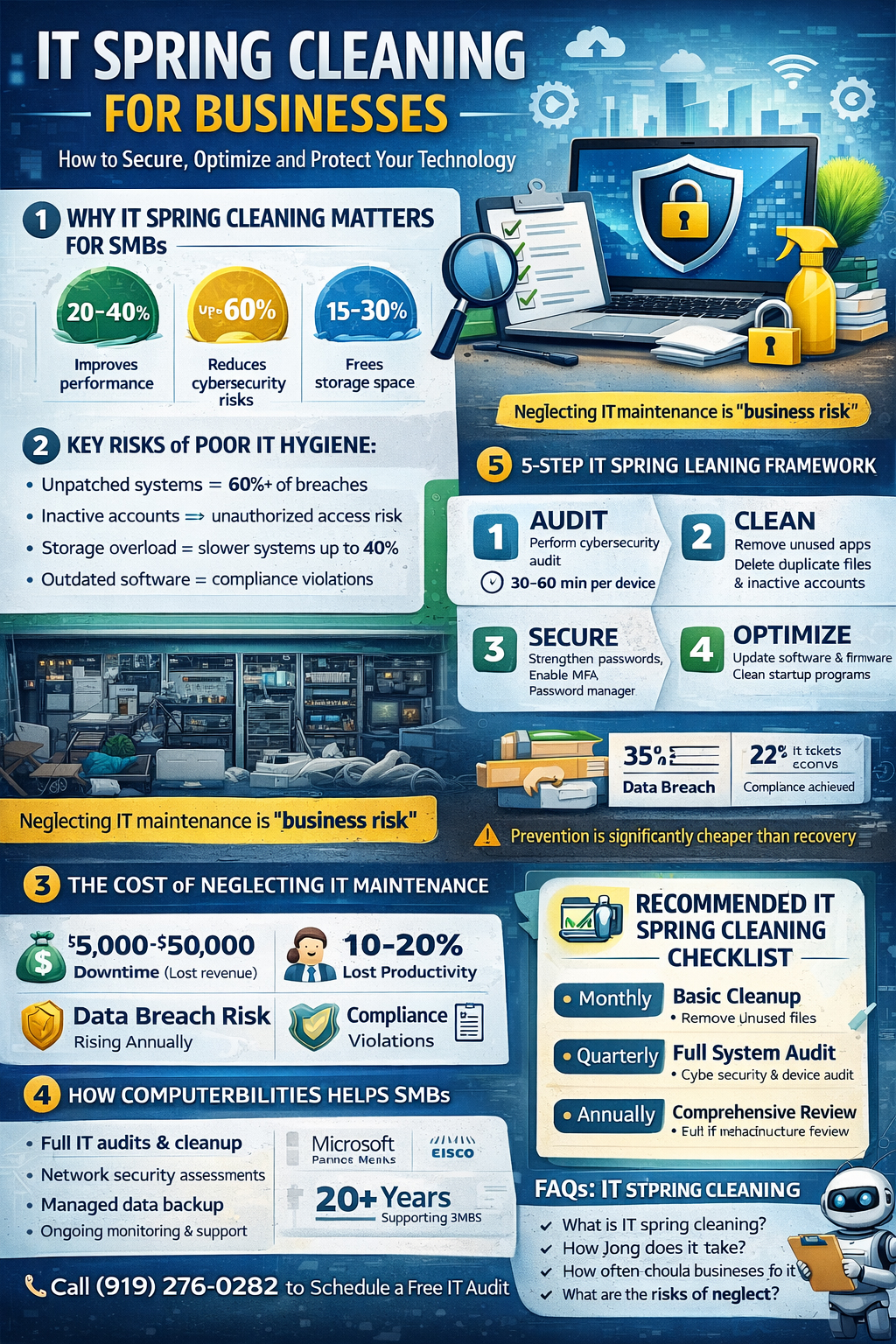
What Is IT Spring Cleaning for Businesses? (2026 Checklist to Improve Security & Performance)
For most small and mid-sized businesses, “spring cleaning for your technology” isn’t just about deleting old files—it’s about reducing real business risk. A proper IT spring cleaning process can improve system performance by 20–40%, reduce cybersecurity vulnerabilities by up to 60%, and free 15–30% of storage space across devices.
Yet, most companies delay this process until something breaks.
In fast-growing markets like Raleigh, Cary, Durham, and even NYC, where SMBs rely heavily on digital systems, neglecting routine IT maintenance can lead to downtime, compliance issues, and avoidable security breaches.
This guide outlines a proven 5-step IT spring cleaning framework designed specifically for businesses, not just individuals.
Why Spring Cleaning Your Technology Matters for SMBs
Unlike personal devices, business environments are more complex:
- Multiple users
- Shared systems
- Sensitive client data
- Compliance requirements
A cluttered IT environment doesn’t just slow things down—it creates risk.
Key Risks of Poor IT Hygiene:
- Unpatched systems = 60%+ of breaches
- Inactive accounts = unauthorized access risk
- Storage overload = slower systems (up to 40%)
- Outdated software = compliance violations
👉 Think of your IT environment like an office storage room.
If it hasn’t been cleaned in a year, you don’t just have clutter—you have liability.
The 5-Step IT Spring Cleaning Framework for Businesses
Step 1: Audit All Devices, Users, and Systems
Start with a full inventory:
- Devices (laptops, desktops, servers)
- Users (active vs inactive employees)
- Applications and licenses
What to Look For:
- Devices not updated in 90+ days
- Employees who left but still have access
- Duplicate or unused software licenses
⏱️ Time Estimate: 30–60 minutes per 10 users
👉 This step alone often reveals 10–20% unnecessary access risk
Step 2: Remove Unused Files, Apps, and Accounts
This is the “declutter” phase.
Focus Areas:
- Delete unused apps
- Remove duplicate files
- Archive old data
- Deactivate inactive accounts
Target Metrics:
- Free up 15–30% storage
- Reduce application load by 20%
👉 Businesses often discover:
- Old employee logins still active
- Legacy software still installed
- Thousands of unnecessary files
Step 3: Update & Patch All Systems
Outdated software is one of the biggest cybersecurity risks.
What to Update:
- Operating systems
- Antivirus software
- Business applications
- Firmware (routers, firewalls)
Recommended Frequency:
- Critical updates: Weekly
- Full patch cycle: Monthly
👉 Unpatched systems are responsible for a majority of cyberattacks targeting SMBs
Step 4: Strengthen Security & Access Controls
This is where “digital spring cleaning” becomes cybersecurity strategy.
Key Actions:
- Enforce multi-factor authentication (MFA)
- Reset weak or reused passwords
- Implement password managers
- Review admin privileges
Security Goals:
- 100% MFA coverage
- Zero inactive accounts
- Role-based access control
Step 5: Backup, Monitor, and Optimize
Cleaning without protection is risky.
Must-Haves:
- Automated cloud backups
- Backup testing (quarterly)
- System monitoring tools
Optimization Tasks:
- Disk cleanup
- Startup program reduction
- Network performance tuning
👉 This step ensures your systems stay clean—not just today, but long-term.
Real Business Example (Why This Matters)
A 25-user law firm in Raleigh conducted a full IT spring cleaning audit:
- Removed 12 inactive user accounts
- Freed 28% storage across systems
- Reduced system slowdowns by 35%
- Identified 3 critical security vulnerabilities
Within 60 days:
- Helpdesk tickets dropped by 22%
- Staff productivity improved noticeably
- Cyber insurance compliance was achieved
👉 This is the difference between “maintenance” and business impact
💼 How Often Should Businesses Clean Their Technology?
Recommended Schedule:
- Monthly: Basic cleanup (files, updates)
- Quarterly: Full system audit
- Annually: Deep IT infrastructure review
👉 If your business hasn’t reviewed its IT systems in 6+ months, you’re already behind.
💰 The Cost of NOT Doing IT Spring Cleaning
Let’s be direct:
Ignoring IT maintenance can cost businesses:
- $5,000–$50,000 in downtime
- Data breach risks increasing yearly
- Lost productivity (10–20%)
- Compliance penalties
👉 Prevention is significantly cheaper than recovery.
How Computerbilities Helps SMBs with IT Spring Cleaning
At Computerbilities, we specialize in helping SMBs across Raleigh, Cary, Durham, and NYC maintain clean, secure, and high-performing IT environments.
What We Offer:
- Full IT audits and cleanup
- Managed IT maintenance plans
- Cybersecurity assessments
- Data backup and disaster recovery
- Ongoing monitoring and optimization
Our Credentials:
- Certified IT professionals (Microsoft, Cisco)
- 20+ years supporting SMBs
- Industry experience across legal, healthcare, finance
👉 We don’t just “clean” your systems—we make them resilient, secure, and scalable
FAQs: IT Spring Cleaning for Businesses
- What is digital spring cleaning?
Digital spring cleaning is the process of removing unnecessary files, updating systems, and improving security across your devices and networks.
- How long does IT spring cleaning take?
Typically 30–60 minutes per device, depending on complexity and size.
- How often should businesses perform IT maintenance?
At minimum:
- Monthly updates
- Quarterly audits
- Annual deep review
- What are the biggest risks of not cleaning your technology?
- Cyberattacks
- Data loss
- Slow systems
- Compliance violations
- Can small businesses handle this internally?
Basic tasks, yes—but for full audits, security, and compliance, most SMBs benefit from a managed IT provider.
Final Takeaway
Spring cleaning for your technology isn’t optional—it’s operational hygiene.
Businesses that follow a structured IT cleanup process:
- Run faster
- Stay secure
- Avoid costly disruptions
Those that don’t:
- React instead of prevent
- Pay more over time
- Face higher risks
If your business hasn’t reviewed its IT systems in the last 90 days, now is the time.
Start with the 5-step framework—or partner with an expert team to handle it for you.