

Dry January, But Make It Digital: 6 Tech Habits Your Business Should Quit Cold Turkey
Introduction: A Dry January Reset for Your Business
January has a way of encouraging reflection. Across North Carolina, individuals use the start of the year to reset habits, regain focus, and make healthier choices. Businesses, however, often miss this opportunity. While personal Dry January initiatives focus on physical well-being, Dry January for Your Business is about operational health—specifically, taking a hard look at business technology habits that may be doing more harm than good.
Many organizations don’t struggle because of poor intentions or lack of effort. They struggle because of familiar routines that have quietly become outdated. Over time, small compromises in technology usage turn into bad tech habits to quit, draining productivity, weakening security, and slowing growth.
This article is written for small and mid-sized businesses across North Carolina that want to start the year stronger. We will explore six tech habits to quit cold turkey, explain why they persist, and—most importantly—show how to replace them with smarter, more resilient alternatives.
Why Tech Resets Matter for Businesses in North Carolina
North Carolina’s business environment is both competitive and fast evolving. From professional IT service firms in Raleigh and Durham to manufacturers and logistics companies across the state, technology underpins daily operations. When systems work well, they are invisible. When they do not, the impact is immediate and disruptive.
A business tech habit reset matters because most tech habits hurting business do not fail loudly. Instead, they:
- Creating inefficiencies employees quietly work around
- Introducing hidden cybersecurity risks
- Prevent organizations from scaling confidently
A January tech reset for SMBs offers a natural pause. It allows leadership teams to evaluate whether their current tools and practices still support their goals—or simply exist because “that’s how it’s always been done.”
Section 1: Common Bad Tech Habits Businesses Hold Onto
Business Tech Habits Hurting Productivity
Productivity issues are rarely caused by a lack of effort. More often, they stem from IT productivity pitfalls such as fragmented systems, outdated software, and manual processes that should have been automated years ago.
Employees compensate by developing workarounds—extra spreadsheets, duplicate data entry, or informal processes that exist only in someone’s head. While these adaptations keep work moving, they also mask deeper inefficiencies.
Risky Business Tech Habits That Feel Normal
Some of the most risky business tech habits feel harmless because they are common. Shared logins, postponed updates, and unchecked permissions often seem like practical shortcuts. Over time, however, these shortcuts accumulate risk.
Tech Habits Every Business Should Quit Now
If your organization is serious about improving business with tech changes, these habits are not candidates for gradual improvement. They are habits to quit decisively.
Section 2: The 6 Tech Habits to Quit Cold Turkey
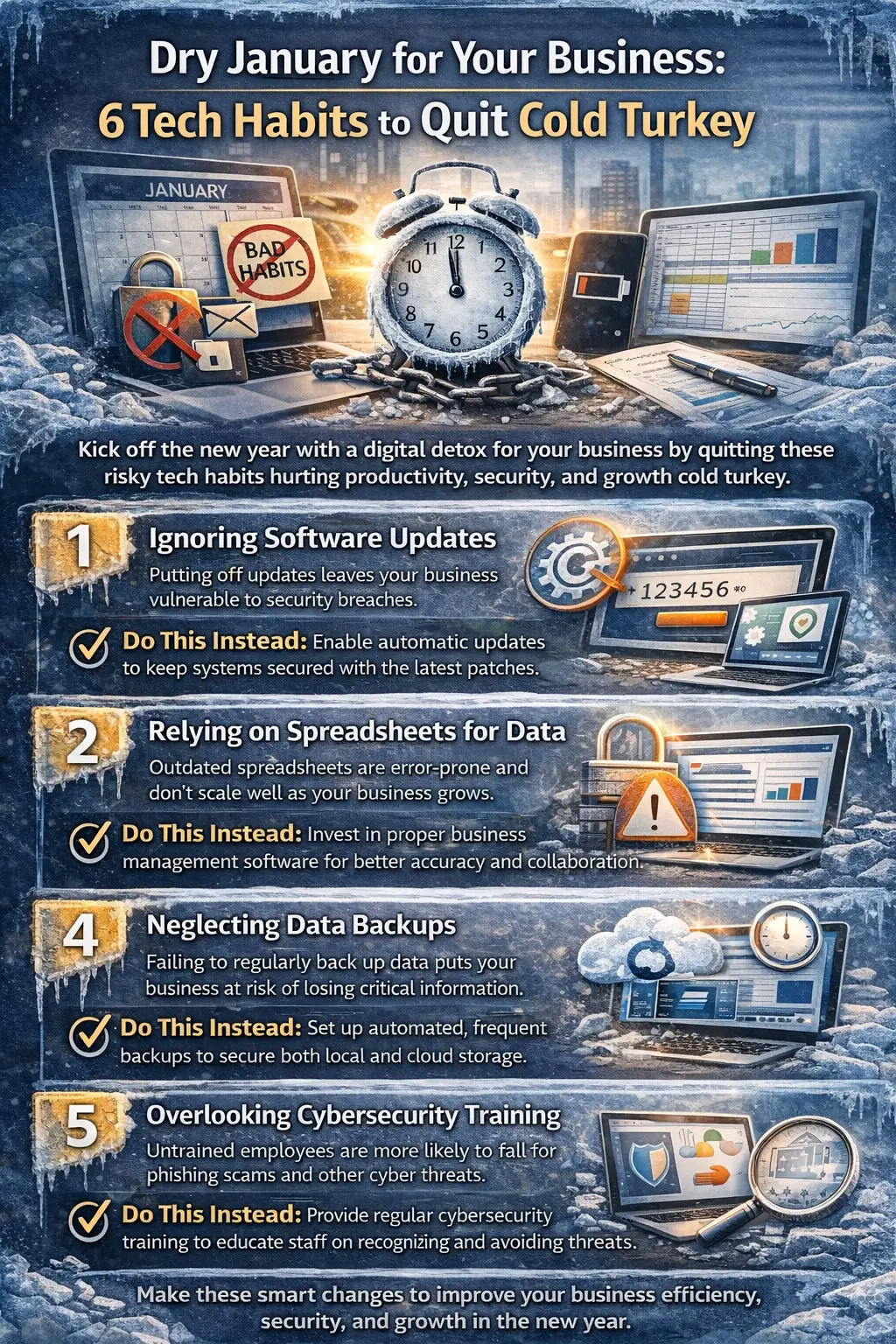
- Delaying Software Updates
Few habits are as widespread—or as dangerous—as delaying updates. Software update procrastination risks include exposure to known vulnerabilities that cybercriminal actively exploit.
Businesses often delay updates out of fear: fear of downtime, compatibility issues, or disruption. Yet most modern updates are designed to reduce risk, not introduce it.
Think of updates like routine maintenance on a building. Ignoring them does not save money—it postpones problems until they are more expensive to fix.
A better approach:
- Schedule updates during low-impact hours
- Test critical systems before full deployment
- Use professional IT support to manage updates proactively
- Sharing Passwords for Convenience
It is difficult to overstate why shared passwords are dangerous for business. While sharing credentials may feel efficient, it removes accountability and creates significant security gaps.
When multiple people use the same login, it becomes nearly impossible to track access or respond effectively to incidents. In many North Carolina SMB breaches, compromised credentials—not advanced hacking—are the root cause.
Business cybersecurity habits to drop include:
- Reusing passwords across systems
- Sending credentials via email or chat
- Leaving access active for former employees
A better approach:
- Use password management tools
- Implement multi-factor authentication
- Assign access based on job roles
- Depending Too Heavily on Spreadsheets
Spreadsheets remain one of the most overused tools in business. While they are excellent for simple analysis, they become risky when used as core systems.
Replacing spreadsheets with proper business systems reduces errors, improves visibility, and protects institutional knowledge. Version conflicts, accidental deletions, and broken formulas are common causes of costly mistakes.
A familiar scenario: one employee manages a complex spreadsheet for years. When that employee leaves, the process becomes unusable overnight.
A better approach:
- Implement software designed for your specific function
- Centralize data in secure, cloud-based platforms
- Reduce manual data handling wherever possible
- Assuming Backups Are Working Without Testing
Many businesses believe they have backups—until they need them. A backup strategy that has never been tested is incomplete.
This habit often goes unnoticed until data is lost, systems fail, or ransomware strikes. At that point, recovery becomes stressful, expensive, and uncertain.
Tech habits that slow down business growth include reactive recovery planning.
A better approach:
- Test backups regularly
- Define recovery priorities based on business impact
- Ensure backups are protected from ransomware
- Treating Cybersecurity as an IT-Only Responsibility
Cybersecurity is not just a technical issue—it is an organizational one. When leadership treats it solely as an IT concern, employees remain unprepared for modern threats.
Phishing, social engineering, and credential theft rely on human behavior as much as technology. Without training and clear policies, even strong technical defenses fall short.
A better approach:
- Provide ongoing security awareness training
- Establish clear expectations for data handling
- Review risks regularly at the leadership level
- Waiting Until Something Breaks to Get Help
Many SMBs delay professional assistance until systems fail. This reactive approach often leads to higher costs and longer downtime.
Proactive support focuses on prevention, monitoring, and planning—reducing emergencies rather than responding to them.
A better approach:
- Engage proactively managed IT solutions
- Monitor systems continuously
- Aligning IT planning with business objectives
Section 3: Replacing Bad Habits With Better Ones
Best Practices to Replace Bad Tech Habits
Successfully quitting unhealthy habits requires replacement, not removal alone. Sustainable change comes from adopting best practices to replace bad tech habits that support consistency and accountability.
Effective principles include:
- Standardizing processes
- Automating repetitive tasks
- Documenting systems and procedures
Building Strong Digital Transformation Habits
Digital transformation habits are not about adopting the newest technology. They are about using the right tools intentionally.
For North Carolina SMBs, this often means:
- Secure cloud adoption
- Scalable infrastructure
- Tools that support remote and hybrid work
The Role of Managed IT Solutions
Reliable IT Services partners help organizations move from reactive fixes to strategic planning. They support IT service optimization in 2026 and beyond, ensuring technology evolves alongside the business.
A Practical Technology Reset Checklist for SMBs
A realistic technology reset checklist for SMBs includes:
- Reviewing all software and systems
- Eliminating shared credentials
- Auditing backup and recovery plans
- Replacing high-risk spreadsheets
- Training employees on cybersecurity basics
- Assigning clear ownership for IT decisions
Ongoing business tech habit tracking ensures progress does not fade after January.
Quitting Tech Habits for a Better Business Year
Dry January for Your Business is not about perfection. It is about awareness, discipline, and intentional improvement. By identifying tech habits to quit cold turkey, organizations reduce risk, improve efficiency, and create space for growth.
For businesses across North Carolina, the start of the year is an ideal time to step back, reassess, and commit to healthier business technology habits. The discomfort of change is temporary. The benefits—stronger security, smoother operations, and greater confidence—last all year long.
A thoughtful tech reset today sets the foundation for a more resilient business tomorrow.
FAQ Business Resolution That Actually Sticks.
- What is the one business resolution that actually sticks?
A business resolution that sticks is committing to systems—especially reliable business technology and accountability processes—that prevent recurring problems instead of reacting to them.
- Why do most business resolutions fail by March?
Most business resolutions fail because motivation fades and daily emergencies take over. Without a system for tracking, ownership, and accountability, goals quickly get deprioritized. - Why do business goals fail even when they’re realistic?
Business goals fail when they depend on willpower rather than structure. If processes, tools, and responsibilities are not clearly defined, teams revert to old habits under pressure. - How do you make resolutions stick in business?
To make resolutions stick in business, choose one measurable outcome, assign ownership, build repeatable processes around it, and review progress consistently. - What makes business resolutions stick long term?
Business resolutions stick long term when they are tied to systems—such as documented processes, automation, scheduled reviews, and clear accountability—rather than one-time motivation. - What are the best business resolution ideas for 2026?
The best business resolution ideas for 2026 include improving operational efficiency, strengthening cybersecurity, reducing downtime, and shifting from reactive IT fixes to proactive monitoring. - What does “stop tech firefighting in business” mean?
Stopping tech firefighting means moving away from constant emergency fixes and instead using proactive monitoring, maintenance, and planning to prevent outages and recurring issues. - How can a business stop reacting and start planning?
A business can stop reacting and start planning by stabilizing core systems, setting clear responsibilities, using recurring check-ins, and reducing preventable disruptions like IT downtime. - What are the benefits of proactive IT monitoring?
Proactive IT monitoring helps detect issues early, reduces downtime, improves security, supports predictable performance, and gives leadership more time to focus on long-term business goals. - How do managed IT services support long-term business goals?
Managed IT services support long-term business goals by providing continuous monitoring, documented processes, consistent maintenance, and accountability—helping businesses build IT systems that last. - What are common IT support goals for businesses in 2026?
Common IT support goals for businesses in 2026 include improving uptime, strengthening cybersecurity, optimizing cloud performance, ensuring backup reliability, and creating a clear technology roadmap. - How can Raleigh, Durham, and Cary businesses improve organizational efficiency?
Raleigh, Durham, and Cary businesses can improve organizational efficiency by standardizing workflows, reducing recurring IT issues, automating routine tasks, and creating accountability systems. - What’s the difference between willpower and systems in business success?
Willpower depends on motivation and attention, while systems create consistency automatically. Systems help companies execute goals reliably, even during busy or stressful periods. - Why do gym memberships fail and what does that teach businesses?
Gym memberships often fail because there is no accountability and progress feels slow. Businesses learn the same lesson: goals stick when systems make progress visible and consistent. - What should a business technology strategy include in 2026?
A 2026 business technology strategy should include cybersecurity protections, proactive monitoring, backup and recovery planning, cloud optimization, lifecycle management, and ongoing reviews.
A Resolution That Outlasts January
Most business resolutions fail because they demand constant attention. The one that sticks reduces the need for attention over time.
By focusing on:
- Systems over motivation
- Structure over reaction
- Accountability over intention
Businesses across Raleigh, Durham, and Cary can finally break the cycle of failed resolutions.
Unlike a gym membership that relies on willpower, this resolution works quietly, consistently, and reliably—supporting growth long after the excitement of the new year fades.