
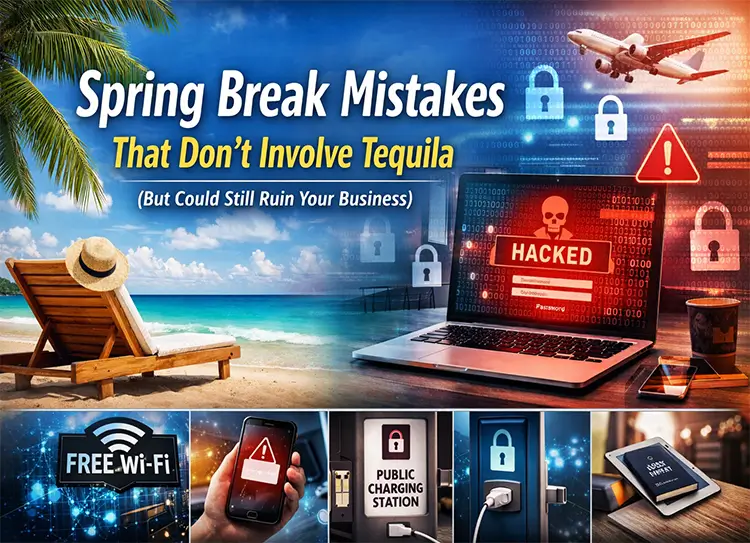
Spring Break Mistakes That Don’t Involve Tequila (But Could Still Ruin Your Business)
Spring Break usually brings to mind beaches, road trips, family vacations, and a much-needed break from routine. For many small and medium-sized business owners across Raleigh, Cary, and Durham, it’s also a chance to step away from daily operations—even if only temporarily.
But while the biggest risks people associate with Spring Break might involve sunburns or late-night celebrations, there’s another set of risks that often goes unnoticed: cybersecurity risks while traveling.
Today’s business environment allows owners and employees to work from anywhere. Checking emails from the airport lounge, accessing your CRM from a hotel room, or reviewing financial reports by the pool may seem harmless. Unfortunately, these everyday actions can introduce serious spring break cybersecurity mistakes that expose sensitive business data.
Cybercriminals are well aware that travelers are more relaxed, less vigilant, and often using unfamiliar networks or devices. That combination makes Spring Break the perfect opportunity for hackers to exploit vulnerabilities.
In this article, we’ll explore the most common spring break tech mistakes, why they’re risky, and how businesses in North Carolina can stay protected while enjoying their time away.
Why Cybersecurity Risks Increase During Travel
Before diving into specific mistakes, it’s important to understand why travel increases cybersecurity risks.
When employees or business owners travel, their normal security environment changes. Instead of using a protected office network, they rely on public Wi-Fi, shared charging stations, unfamiliar devices, and hotel networks.
These environments are much easier for attackers to exploit.
For example:
- Public networks often lack encryption
- Devices are used in crowded public spaces
- People are more distracted during vacations
- Security policies may be relaxed while traveling
Cybercriminals frequently target travelers because they know that people are more focused on enjoying their trip than protecting their data.
For small and medium businesses in Raleigh, Cary, and Durham, the impact can be severe. A single compromised account could expose:
- Customer information
- Financial data
- Internal communications
- Business credentials
The result could be data breaches, downtime, reputational damage, or even financial loss.
Understanding the most common IT security mistakes people make on vacation is the first step toward protecting your business.
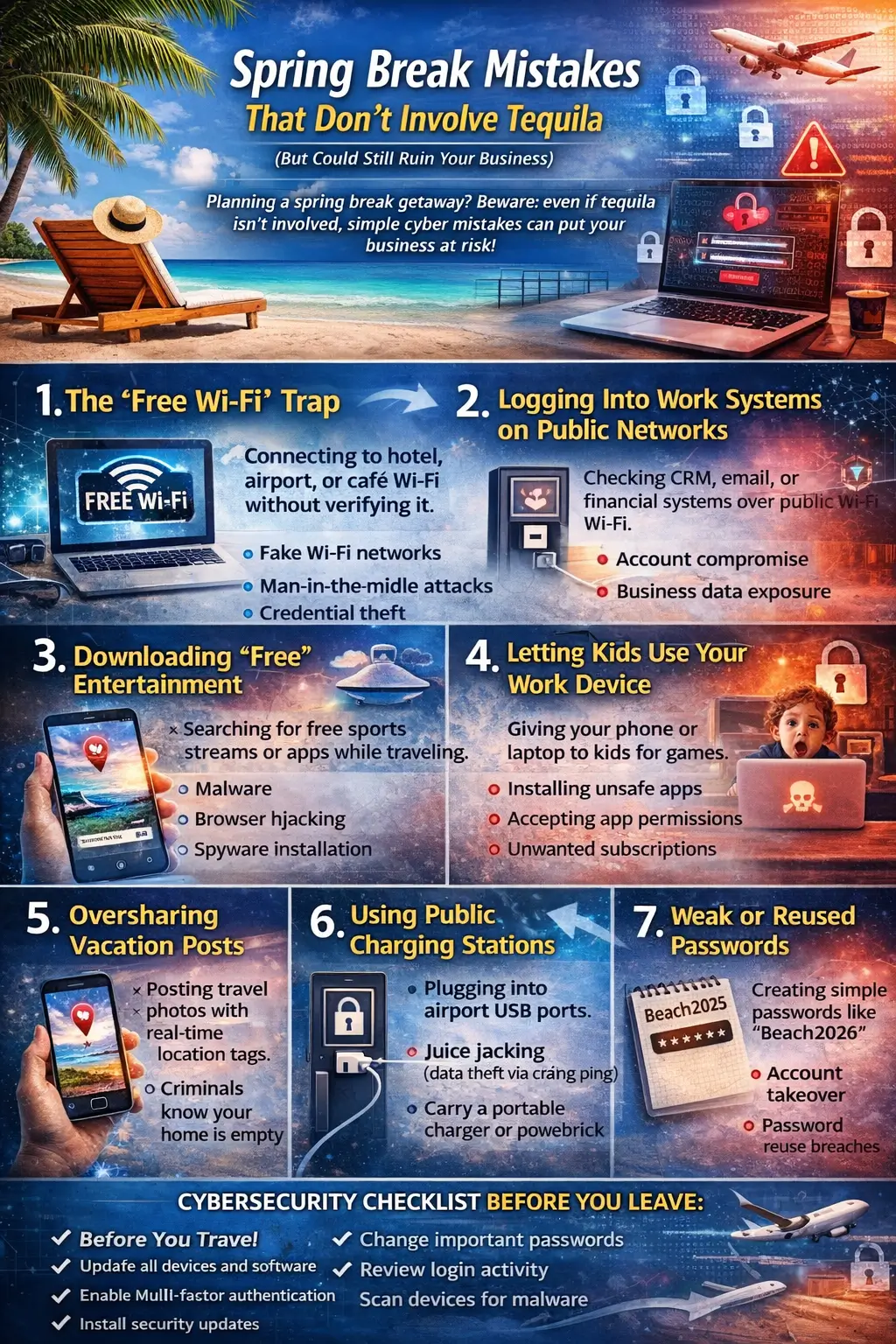
7 Spring Break Tech Mistakes to Avoid
- The “Free Wi-Fi” Trap
One of the most common public Wi-Fi security risks happens when travelers connect to free internet networks without verifying them.
Airports, coffee shops, hotels, and restaurants often offer free Wi-Fi. While convenient, these networks are frequently unsecured.
The Mistake
Connecting to a public network labeled something like:
- Airport Free Wi-Fi
- CoffeeShop_Guest
- HotelInternet
Without verifying whether it’s legitimate.
Cybercriminals often create fake Wi-Fi networks that look identical to legitimate ones. When someone connects, attackers can intercept their data.
The Risk
This type of attack can lead to:
- Man-in-the-middle attacks
- Credential theft
- Data interception
- Malware distribution
In simple terms, hackers can monitor everything you do online.
The Tip
For better data protection while traveling, use:
- A VPN for travel security
- Your phone’s mobile hotspot
- Trusted networks only
A VPN encrypts your internet connection, making it much harder for hackers to access sensitive information.
- Logging Into Work Systems on Public Networks
Many business owners try to stay productive during vacation by logging into work systems remotely.
Checking email, accessing CRM tools, or reviewing accounting platforms might feel harmless—but doing so on unsecured networks is extremely risky.
The Mistake
Accessing business tools such as:
- Company email
- Financial software
- CRM platforms
- Cloud storage
Over public Wi-Fi.
The Risk
This behavior can result in:
- Account compromise
- Business data exposure
- Unauthorized system access
Once attackers gain login credentials, they can often move deeper into company systems.
The Tip
Follow safe remote work security tips:
- Avoid sensitive tasks on public networks
- Enable multi-factor authentication
- Access work systems only through secure VPN connections
These steps dramatically improve remote access security.
- Downloading “Free” Entertainment
Travel often comes with long waits—airport delays, long flights, or relaxing evenings in hotel rooms.
Many people search for free movies, sports streams, or entertainment apps during these moments.
Unfortunately, these downloads can introduce malware.
The Mistake
Searching for things like:
- Free streaming apps
- Free sports streams
- Downloadable movies
From unofficial websites.
The Risk
These downloads can include:
- Malware
- Browser hijacking
- Spyware installation
Once installed, malicious software can steal login credentials or monitor device activity.
The Tip
Stick to trusted platforms such as:
- Netflix
- Amazon Prime
- Official app stores
Using verified platforms helps maintain mobile device cybersecurity and reduces the risk of infection.
- Letting Kids Use Your Work Device
Family vacations often involve sharing devices with children for entertainment.
Many parents hand over their work laptop or phone to keep kids occupied during flights or car rides.
While this seems harmless, it can introduce security risks.
The Mistake
Allowing kids to use:
- Work laptops
- Business phones
- Company tablets
For games or videos.
The Risk
Children may accidentally:
- Install unsafe apps
- Accept app permissions
- Subscribe to services
- Click suspicious ads
These actions could compromise your device.
The Tip
Use separate devices for entertainment.
Keeping work devices strictly for business ensures better business data protection.
- Oversharing Vacation Posts
Social media makes it easy to share vacation memories instantly.
However, posting real-time updates can create unexpected security risks.
The Mistake
Sharing posts that reveal:
- Current location
- Travel schedules
- Hotel details
The Risk
This information can allow criminals to:
- Confirm your home is empty
- Conduct social engineering attacks
- Target your business with phishing attempts
Oversharing online also increases the chances of phishing attacks during travel.
The Tip
Wait until after you return home to post photos and updates.
This simple step significantly reduces risk.
- Using Public Charging Stations
Airports and public areas often provide USB charging ports.
While convenient, these charging stations can be dangerous.
The Mistake
Plugging your device directly into public USB ports.
The Risk
Hackers can exploit USB connections through a technique called juice jacking, which allows them to:
- Install malware
- Steal data
- Access device files
The Tip
Protect your device by using:
- Portable power banks
- Personal charging adapters
- Wall outlets instead of USB ports
These are simple but effective device security tips.
- Weak or Reused Passwords
Travel often leads people to create quick passwords when signing into unfamiliar systems.
Unfortunately, weak passwords are one of the easiest ways for attackers to compromise accounts.
The Mistake
Using passwords like:
- Beach2026
- Vacation123
- SpringBreak
Or reusing passwords across multiple platforms.
The Risk
Weak passwords lead to:
- Account takeover
- Password reuse breaches
- Unauthorized system access
The Tip
Use a password manager to generate and store strong passwords.
This improves password security while traveling and protects critical business accounts.
Additional Cybersecurity Risks Travelers Should Know
Most articles stop at the mistakes above, but there are additional risks that businesses should consider.
Lost or Stolen Devices
Travel increases the chances of losing phones, laptops, or tablets.
Airports, taxis, and hotels are common places where devices get misplaced.
The Risk
Lost devices can expose:
- Emails
- Documents
- Stored passwords
- Company files
The Solution
Enable:
- Remote wipe capabilities
- Device encryption
- Screen lock protections
These steps ensure that even if a device is lost, your business data remains protected.
Fake Travel Emails
Cybercriminals frequently target travelers with phishing emails.
These messages may appear to come from:
- Airlines
- Hotels
- Travel booking websites
The Risk
Clicking a fake link could install malware or capture login credentials.
The Solution
Always verify booking confirmations directly through official websites before clicking links.
This protects against phishing attacks during travel.
How Businesses Can Protect Employees Traveling for Spring Break
Businesses should also implement policies to protect employees who work remotely during vacations.
Some of the most effective strategies include:
VPN Access
Require employees to connect through a secure VPN when accessing company systems.
Multi-Factor Authentication
MFA provides an additional security layer, preventing unauthorized access even if passwords are stolen.
Endpoint Security
Install endpoint protection tools that detect malware, suspicious activity, and device vulnerabilities.
Together, these strategies strengthen business cybersecurity during travel.
Final Thoughts: Don’t Bring Home a Cybersecurity Souvenir
Spring Break should be about relaxation and fun—not dealing with a cybersecurity incident.
However, the reality is that cybersecurity risks while traveling are increasing every year.
For small and medium-sized businesses in Raleigh, Cary, and Durham, even a minor security lapse can lead to significant consequences.
Fortunately, avoiding these spring break cybersecurity mistakes doesn’t require complicated technology. Simple precautions—like using VPNs, avoiding unsecured networks, and protecting devices—can go a long way toward safeguarding business data.
By staying aware of these risks and adopting smarter habits, you can enjoy your vacation while ensuring your business remains secure.
Because the only thing you should bring back from Spring Break is great memories—not a cybersecurity breach.
FAQs
- What are the most common spring break cybersecurity mistakes?
The most common mistakes include connecting to unsecured public Wi-Fi, accessing work systems on public networks, downloading unsafe apps, oversharing travel details on social media, and using weak passwords.
- How can I stay secure on public Wi-Fi while traveling?
Use a VPN, avoid accessing sensitive accounts on public networks, and consider using your mobile hotspot instead of public Wi-Fi.
- Why are travelers targeted by hackers?
Travelers often rely on unfamiliar networks and devices, making them easier targets for cybercriminals who exploit relaxed security habits.
- What is juice jacking?
Juice jacking is a cyberattack where hackers use compromised USB charging ports to steal data or install malware on connected devices.
- How can small businesses protect employees who work remotely during travel?
Businesses should implement VPN access, multi-factor authentication, endpoint protection, and cybersecurity training for employees who work remotely.