
Gootloader Takedown: How Malicious Downloads Can Lead to Business Ransomware
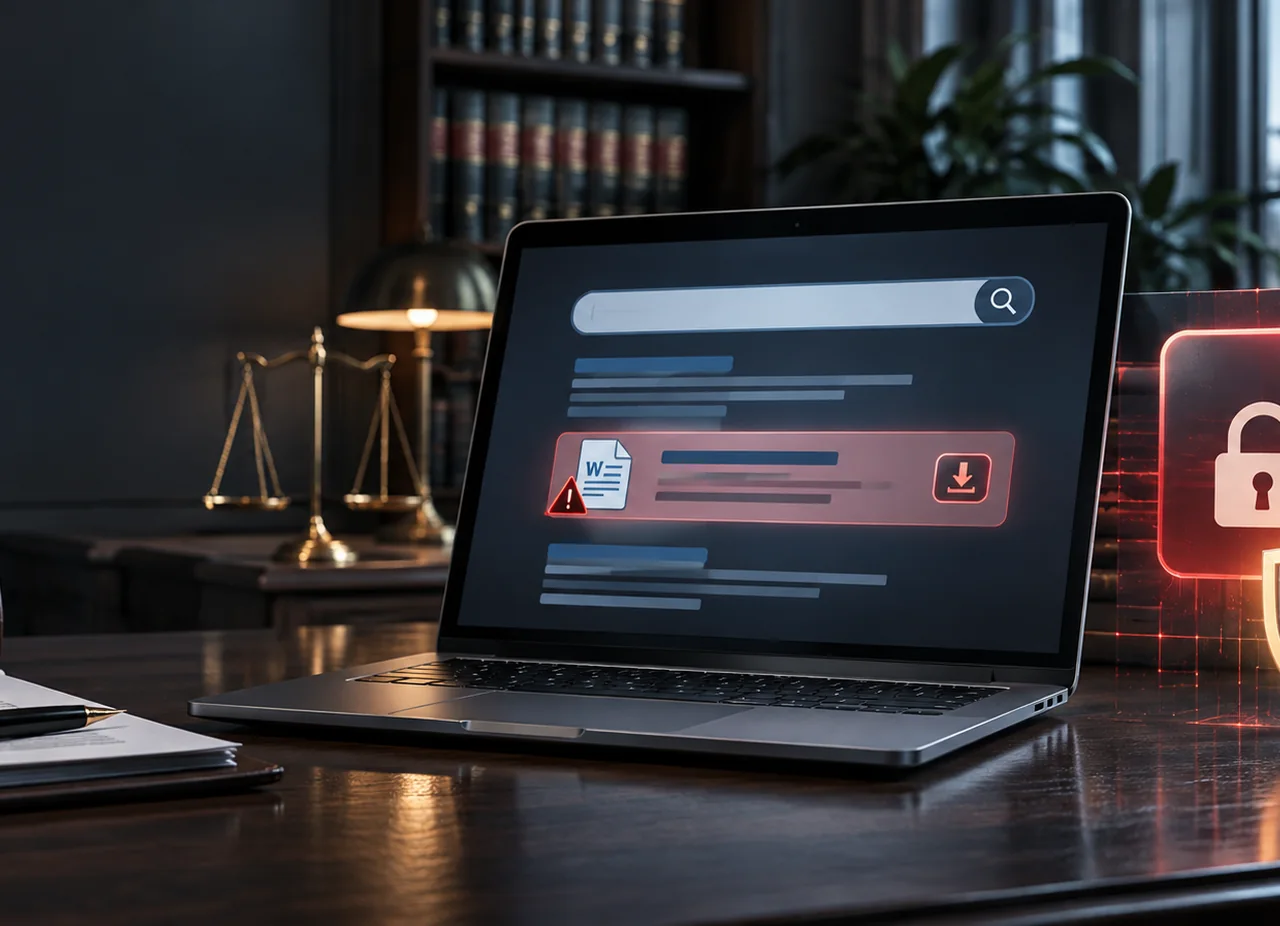
A search for a contract template can feel like an ordinary part of the workday. But a convincing result can lead to a compromised website and a download that gives criminals an opening into a business network. Gootloader is one malware family associated with this kind of attack, and law firms and legal departments have been among its targets.
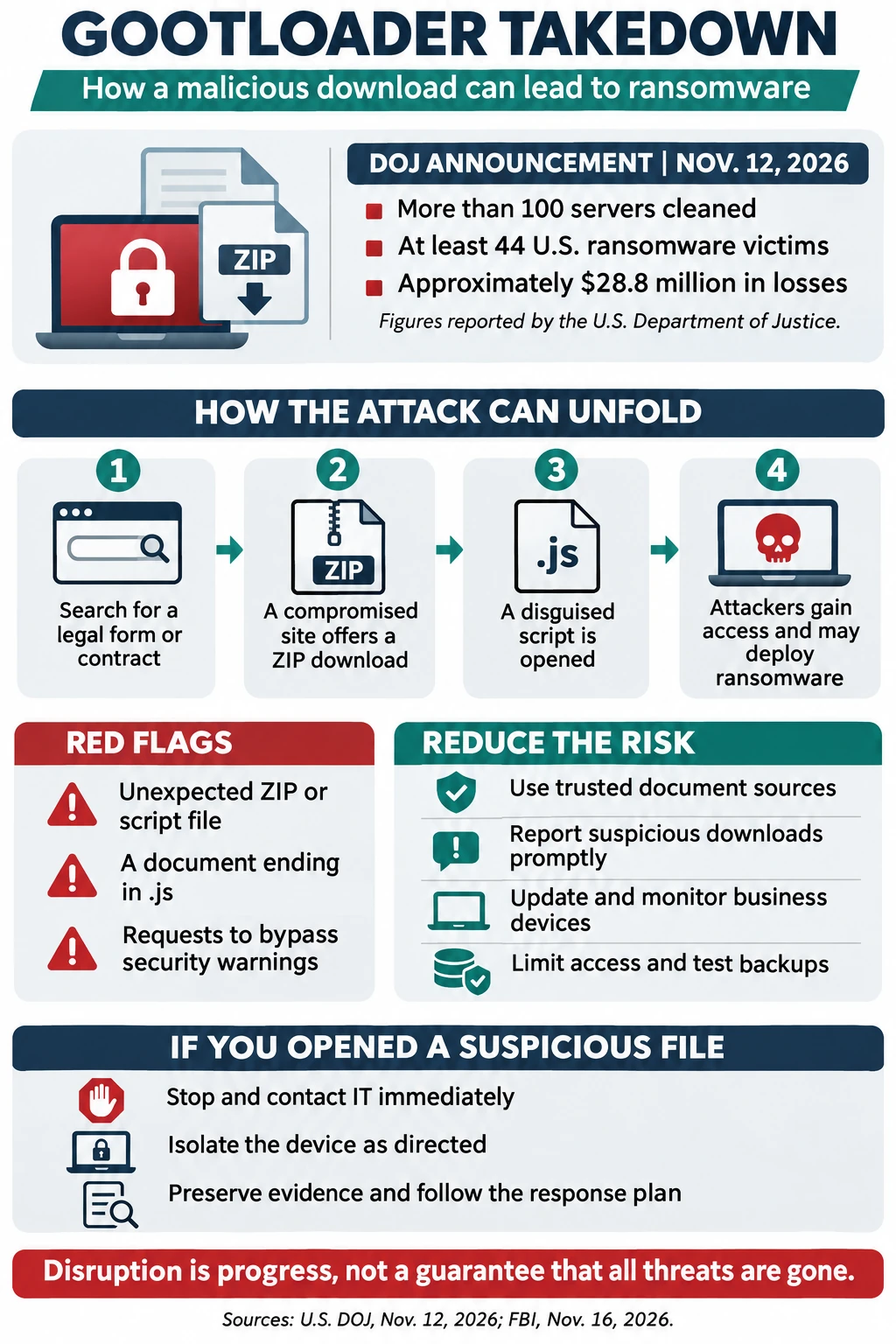
On November 12, 2026, the U.S. Department of Justice announced an international operation that removed Gootloader malware from more than 100 servers and seized U.S. domain names used to deliver and control it. The department said Gootloader had infected at least 25,000 computers worldwide since 2018 and had been used in ransomware attacks affecting at least 44 U.S. victims, resulting in approximately $28.8 million in losses. [1]
The disruption is welcome news, but it is not a reason to relax download security. The announcement does not establish that every infected computer has been cleaned or that similar campaigns have ended. For business leaders, the practical lesson is to prepare for the whole chain: a misleading search result, a malicious file, unauthorized access and, potentially, data theft or ransomware.
What Is Gootloader Malware?
Gootloader is a malware loader: a program used to gain an initial foothold and enable subsequent malicious activity. It is not itself a synonym for ransomware, and a Gootloader infection does not mean that ransomware will inevitably follow. Once attackers gain access, however, they may use the opportunity to run additional tools, investigate the environment, steal information or facilitate a later attack.
One documented delivery method uses search engine optimization, or SEO, poisoning. Attackers manipulate or compromise websites so pages related to a victim’s search can appear alongside legitimate results. The FBI reported on November 16 that Gootloader operators used compromised WordPress sites and search terms aimed at legal professionals, including searches involving jurisdiction-specific contract language. [2]
The key distinction is that the employee may be conducting legitimate research. The malicious page is designed to meet that immediate need, sometimes presenting a downloadable archive as the answer. A high position in search results or a familiar-looking website is not proof that a file is safe.
How a Malicious Download Can Become a Ransomware Incident
The following is a simplified example of a documented attack pattern, not a claim that every Gootloader incident follows the same steps:
- A legal assistant searches for a contract clause or agreement template needed for a client matter.
- A result leads to a compromised site that appears to offer a relevant document. The employee downloads a ZIP archive.
- Inside the archive is a JavaScript file, often with a .js extension, disguised as a useful document. The employee runs it, potentially starting the malware chain.
- The loader can contact attacker-controlled infrastructure and enable further activity. Attackers may seek credentials, explore connected systems or deploy other tools.
- If the intrusion continues, criminals may steal sensitive files or deploy ransomware to encrypt systems and demand payment. The outcome varies by incident.
Downloading an archive is not the same as running its contents. If someone only downloaded a suspicious file, they should still report it promptly, avoid opening it and let IT assess what happened. If a file was opened or run, tell the responder immediately. The sooner the team knows what occurred, the more effectively it can investigate and contain the risk.
Why Law Firms and Office Teams Are Attractive Targets
Legal work depends on finding, exchanging and editing documents. Attorneys, paralegals and administrative staff may search for examples of clauses, agreements and forms under time pressure. That routine makes a carefully tailored download lure plausible, particularly when the page appears to answer a specific question.
Law firms may also hold confidential client communications, financial records, identity documents and privileged material. An interruption can delay filings and transactions, while unauthorized access can create client, contractual and professional obligations. The same pattern matters to other office teams that download spreadsheets, policies, invoices and operational templates.
The FBI advisory specifically identifies attorneys, in-house counsel, litigation and privacy teams, legal operations professionals and other legal decision-makers in the campaign’s targeted search terms. [2] This does not mean every legal search result is dangerous. It means organizations should make safe research and quick reporting part of normal work.
Warning Signs of a Suspicious Document Download
No single clue proves that a file is malicious, and attackers can make pages look polished. Still, pause and ask IT for help when you notice any of these signs:
- A page promises an ordinary Word document or PDF but delivers a ZIP archive or an unexpected script, installer or executable.
- The file extension does not match the expected content. For example, agreement.pdf.js is a JavaScript file, not a PDF. Windows can hide known extensions, so the full name may not be visible by default.
- A site demands that you disable security tools, bypass a warning, run a command or change settings to view a routine template.
- The page has unrelated content, odd redirects or a download button that does not fit the organization or resource you expected.
- A browser or endpoint protection warning appears, or the downloaded file behaves unexpectedly.
A padlock or HTTPS connection alone does not establish that a download is trustworthy. Legitimate sites can be compromised, and malicious sites can use encrypted connections. When in doubt, use an approved source or ask your help desk to check the file without forwarding sensitive client information unnecessarily.
How Businesses Can Reduce the Risk
No single control stops every attack. A practical defense combines employee habits with device protection, access controls, monitoring and tested recovery.
1. Make safe sources easy to find
Maintain a shared list of approved legal research platforms, template libraries and software vendors. Link to official resources from a central location rather than asking employees to search from scratch each time. Assign an owner to review the list and provide a quick way to request a new source. Approved does not mean immune from compromise, so continue to apply normal security checks.
2. Train employees on search and download risks
Include search-result poisoning and unexpected archives in security awareness training, not just suspicious email. Use realistic examples such as a contract template arriving as a ZIP containing a script. Explain how to inspect the full file extension, where to report a concern and why staff should never bypass security prompts to meet a deadline.
Make reporting simple and blame-free. An employee who reports an accidental click immediately can give the response team valuable time. Practice with short discussions or simulations that reflect the actual work of legal and administrative teams.
3. Protect and monitor business devices
Keep operating systems, browsers, security software and applications updated. Ask your IT provider whether endpoint detection and response is appropriate for your environment and who reviews alerts, when they are reviewed and how an incident is escalated. Monitoring only helps if someone can act on the signal.
For Windows environments, have IT evaluate controls that restrict unnecessary script execution and block or manage risky file types, using application control and endpoint policies appropriate to the business. Test changes before rollout: some legitimate applications rely on scripts, and a blanket restriction can disrupt work. Web filtering and DNS protection can provide another layer but cannot identify every malicious site.
4. Limit access and protect accounts
Give staff only the access needed for their roles and avoid using administrator accounts for routine work. Review access to shared drives, case-management systems and cloud applications. Require multifactor authentication for business accounts where supported, particularly remote access and administrative accounts. MFA reduces account-takeover risk but does not prevent an already running malicious script on a device.
5. Prepare backups and test recovery
Identify critical systems and data, including shared files and cloud applications. Keep protected backup copies separated from everyday access where practical, and consider immutable or offline copies. Test restoration regularly and document who can authorize recovery, how long essential services can be unavailable and how much data loss is acceptable.
Backups help restore operations, but they do not prevent data theft or guarantee a clean recovery. Responders must determine the scope of the incident and address the attacker’s access before restoring systems. A recovery test is more informative than a dashboard that merely says a backup job completed.
6. Agree on response responsibilities
Document who takes the first call, who can isolate a device, who contacts leadership and how to reach the security team outside normal hours. Clarify what your managed IT provider will handle and whether specialist incident response or digital forensics is separately arranged. Keep an accessible copy of the contact list outside the systems it supports.
What to Do If Someone Opened a Suspicious File
Treat a possible malware execution as time-sensitive, even if the computer appears normal. Follow your organization’s incident plan and take these steps:
- Stop interacting with the file and report the incident immediately through your established IT or security channel. Say whether you downloaded, extracted or ran it, and approximately when.
- If your incident plan directs you to isolate the device, disconnect it from Wi-Fi and wired networks, or have IT isolate it through its security tools. Do not reconnect it until responders approve.
- Do not delete the file, reinstall software, reset the device or power it off unless your response team instructs you to do so. Those actions can destroy useful evidence; follow responder guidance if immediate safety or containment requires a different action.
- Record what you remember: the search terms, website address if available, file name, prompts, actions taken and any unusual behavior. Share details through an approved channel, not the suspected device if responders advise against it.
- Have IT or a qualified incident response team investigate the device, relevant accounts, logs and connected systems. They can determine containment, credential resets, evidence preservation and whether specialist forensic support is needed.
- Involve management, legal counsel, your cyber insurer and affected vendors as appropriate. Counsel can help assess confidentiality, contractual and notification obligations based on the facts and applicable law.
The FBI encourages organizations that have been compromised to contact the FBI; its advisory includes technical indicators and recommendations for defenders. [2] For reporting, use the FBI’s Internet Crime Complaint Center at ic3.gov or contact your local FBI field office. Do not assume that paying a ransom will guarantee recovery or prevent disclosure; consult qualified advisers and law enforcement before making decisions.
A Practical Checklist for This Week
Business leaders do not need to solve every security issue in one meeting. Start by asking your IT team or provider these questions:
- Where do employees find approved templates, and what should they do when a search result offers a ZIP file?
- Are file extensions visible, and are unnecessary scripts or executables restricted on employee devices?
- Which devices have security monitoring, who responds to alerts and what happens after hours?
- Are administrative privileges and access to sensitive client folders limited and reviewed?
- When was the last successful recovery test, and are backup copies protected from ordinary user accounts?
- Who can isolate a device, call the insurer and engage an incident response specialist?
Assign an owner and due date to each gap. For a law firm, involve a representative from legal operations or practice leadership so that controls support real workflows instead of pushing staff toward unapproved workarounds.
Frequently Asked Questions
Is Gootloader ransomware?
Gootloader is a malware loader, not simply another name for ransomware. It can provide an initial foothold that supports later malicious activity. The DOJ linked it to ransomware attacks on at least 44 U.S. victims, but an infection does not automatically result in ransomware. [1]
Did the international operation eliminate Gootloader?
The DOJ announced removal of malware from more than 100 servers and seizure of U.S. domains used in the operation. It did not say every infection had been removed or that comparable campaigns could not continue. Maintain your protections and investigate any suspected exposure. [1]
Can a legitimate website host a malicious download?
Yes. Criminals can compromise legitimate websites and use them to host or redirect visitors to harmful content. A recognizable domain, a search result or HTTPS is not a guarantee that an individual download is safe. [2]
What if I downloaded the file but did not open it?
Do not open, extract or forward it. Report the download and tell IT what happened. The response team can assess the file and browser activity and decide what, if any, additional action is needed. A download alone is not proof that the malware executed.
Will antivirus or backups stop every ransomware attack?
No. Endpoint protection can detect or block many threats, while protected backups can help restore data, but neither is a complete guarantee. Use layered controls, monitoring, limited access, an incident plan and tested recovery. Backups also do not reverse theft of confidential information.
How can a managed IT provider help?
A provider can help review device security, employee reporting, account access, monitoring and recovery arrangements, according to its agreement. Ask who investigates alerts, who has authority to isolate devices, what is covered after hours and when outside forensic specialists are needed.
Protect Your Team Before the Next Suspicious Download
A safer download process should fit the way your people actually work. Computerbilities helps businesses discuss IT support, cybersecurity and recovery priorities, including the needs of legal teams in Raleigh, Cary, Durham and the surrounding Triangle. Service coverage and responsibilities depend on the agreed scope.
Start with a free 15-minute IT Priorities Call to discuss your biggest concern and a practical next step. Call 919-469-5060 or visit the Computerbilities contact page. No system access is required for the initial conversation; technical assessments are separately scoped.