
The 4 Most Expensive Backup Assumptions Businesses Make
Your business depends on its data. Customer records, financial documents, emails, project files, and operational systems all play a role in keeping your organization running.
Yet many businesses do not discover weaknesses in their backup strategy until something goes wrong. A server fails, ransomware encrypts critical files, an employee accidentally deletes important information, or a natural disaster damages essential equipment. At that point, assumptions about data protection can become extremely expensive.
Here are four common backup assumptions that put businesses at risk—and what you should do instead.
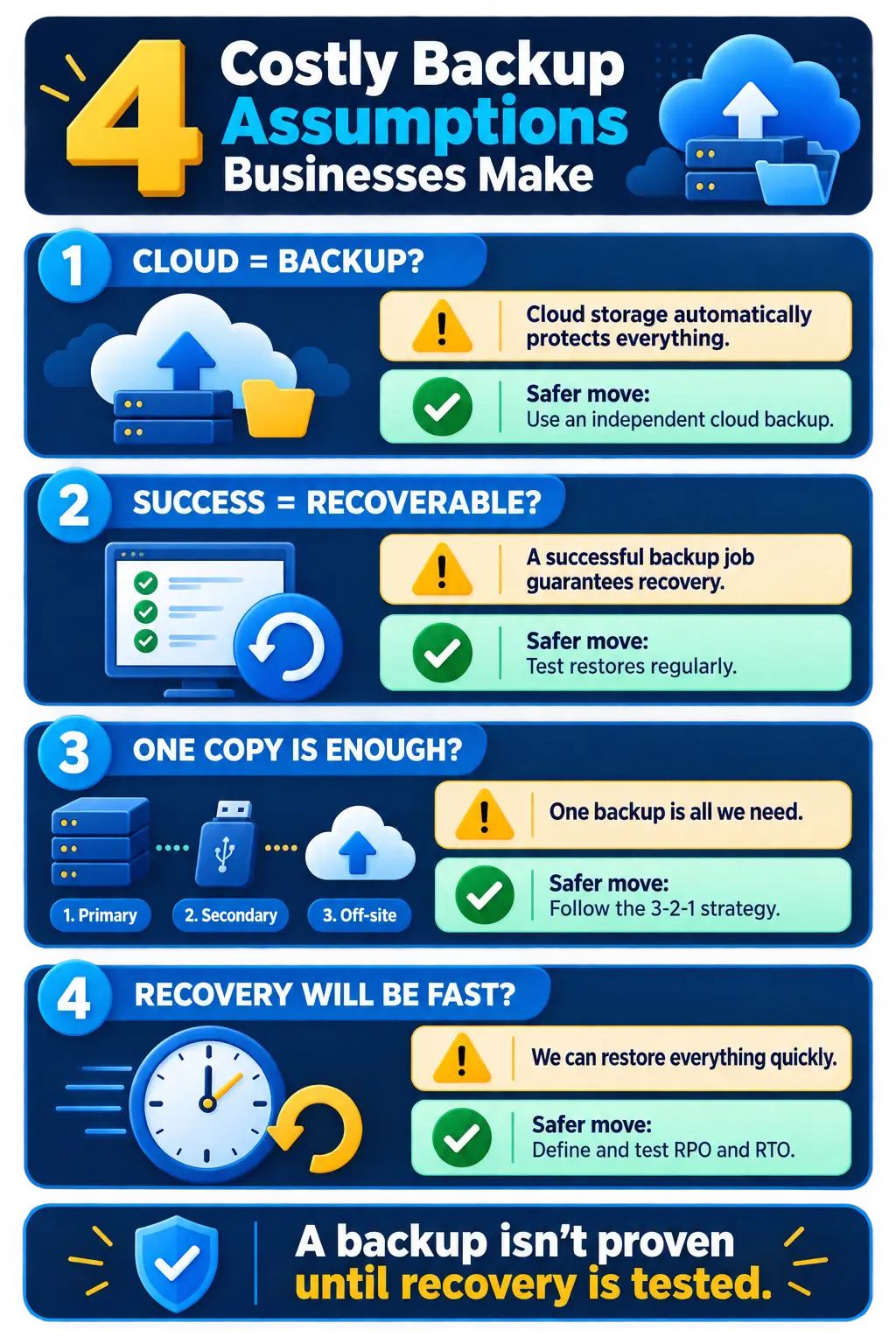
1. “Our Data Is in the Cloud, So It’s Automatically Backed Up”
Cloud platforms provide reliable infrastructure, but cloud storage and cloud backup are not necessarily the same thing.
Many cloud services operate under a shared-responsibility model. The provider protects its platform, while your business remains responsible for protecting its data. If an employee deletes a file, an account is compromised, or ransomware synchronizes encrypted data to the cloud, the provider’s standard recovery options may not be sufficient.
Retention periods can also be limited. By the time your team notices that information is missing, the original version may no longer be recoverable.
A dedicated cloud backup solution creates an independent copy of your data. It should offer version history, appropriate retention periods, secure off-site storage, and a reliable way to restore information when needed.
The safer approach is simple: understand exactly what your cloud provider protects, how long deleted information remains available, and what your recovery options are.
2. “If the Backup Job Says ‘Successful,’ We Can Recover Everything”
A successful backup notification only confirms that a process completed. It does not guarantee that every file was captured correctly or that the data can be restored.
Backups can appear healthy while containing corrupted files, incomplete databases, missing applications, or configuration problems. Storage limitations and unnoticed software errors can also prevent essential information from being protected.
That is why backup testing is just as important as performing the backup itself.
Regular recovery tests help confirm that:
- Critical files are included in the backup
- Backup data is readable and complete
- Systems can be restored within an acceptable timeframe
- Employees know what to do during a recovery
- Recovery procedures still work as technology changes
Without testing, a backup is only a possibility. A verified restoration process is what gives your business real protection.
3. “One Backup Copy Is Enough”
Keeping only one backup creates a single point of failure.
If the backup is stored on the same network as your primary data, ransomware could encrypt both. If the backup device is kept in the same building, fire, flooding, theft, or hardware damage could destroy the original data and the backup at the same time.
A stronger strategy follows the 3-2-1 backup principle:
- Keep three copies of your data
- Store those copies on two different types of media
- Maintain at least one copy in a secure off-site location
Businesses should also consider immutable or offline backups. These copies cannot be easily changed or deleted, making them especially valuable when defending against ransomware and unauthorized access.
Backup redundancy may seem unnecessary during normal operations. During an emergency, however, it can determine whether your business experiences a short interruption or a major loss.
4. “We Can Restore Everything Quickly If Something Happens”
Having a backup does not automatically mean your business can recover quickly.
Restoring a few documents may take minutes. Rebuilding an entire server, recovering a large cloud environment, reconnecting applications, and validating business systems could take hours or even days.
Two measurements help businesses set realistic recovery expectations:
- Recovery Point Objective (RPO): How much recent data can your business afford to lose?
- Recovery Time Objective (RTO): How long can your business operate without access to a critical system?
For example, a company that backs up its data once every 24 hours could lose up to a full day of work. If restoring its systems takes two days, the resulting downtime could affect employees, customers, revenue, and the company’s reputation.
Every organization should identify its most important systems, establish acceptable recovery targets, and design its backup strategy around those requirements.
The True Cost of a Backup Mistake
The cost of inadequate backups goes far beyond replacing lost files. A serious incident can lead to:
- Extended operational downtime
- Lost sales and productivity
- Emergency recovery expenses
- Compliance or contractual consequences
- Damaged customer relationships
- Permanent loss of valuable business information
The most dangerous backup strategy is one built on assumptions. Effective protection requires the right technology, regular monitoring, secure backup copies, and documented recovery testing.
Is Your Business Ready to Recover?
You should be able to answer these questions confidently:
- What information is being backed up?
- Where are the backup copies stored?
- How frequently are backups performed?
- Who monitors backup failures?
- When was the last successful recovery test?
- How long would it take to restore critical operations?
If any answer is unclear, it may be time to review your backup and disaster recovery plan.
Computerbilities can help your business assess its current backup environment, identify gaps, and implement a dependable data protection strategy. Contact Computerbilities today to make sure your backups are not merely running—but ready to work when your business needs them most.
Frequently Asked Questions
1. Isn’t cloud storage the same as cloud backup?
No. Cloud storage keeps files accessible online, while cloud backup creates a separate, recoverable copy of your data. Deleted, corrupted, or ransomware-encrypted files may synchronize across cloud storage, making an independent backup essential.
2. How often should a business back up its data?
The right frequency depends on how much data your business can afford to lose. Organizations with frequently changing information may need continuous or hourly backups, while others may be adequately protected with daily backups.
3. What is the 3-2-1 backup strategy?
The 3-2-1 strategy means keeping three copies of your data on two different types of storage, with at least one copy stored securely off-site. This reduces the risk that a single incident will destroy every copy.
4. How often should backups be tested?
Businesses should test backups regularly and whenever major systems or applications change. Recovery testing confirms that data is complete, readable, and capable of being restored within the required timeframe.
5. Can backups protect a business from ransomware?
Backups cannot prevent ransomware, but secure and properly isolated backups can help a business recover without relying on attackers. Immutable or offline copies provide stronger protection because they are more difficult for ransomware to alter or delete.